Your video call starts in ten minutes, your studio's only desk is also your kitchen table, and the upstairs neighbor just started a treadmill. Working from home in a Manhattan apartment is less about square footage than about knowing where the quiet is, and a good building gives you more rooms to work in than the four walls of your lease. Here is how to turn shared spaces, fast internet, and the right neighborhood corners into a real home office.
Your Building's Shared Spaces Are Free Extra Rooms
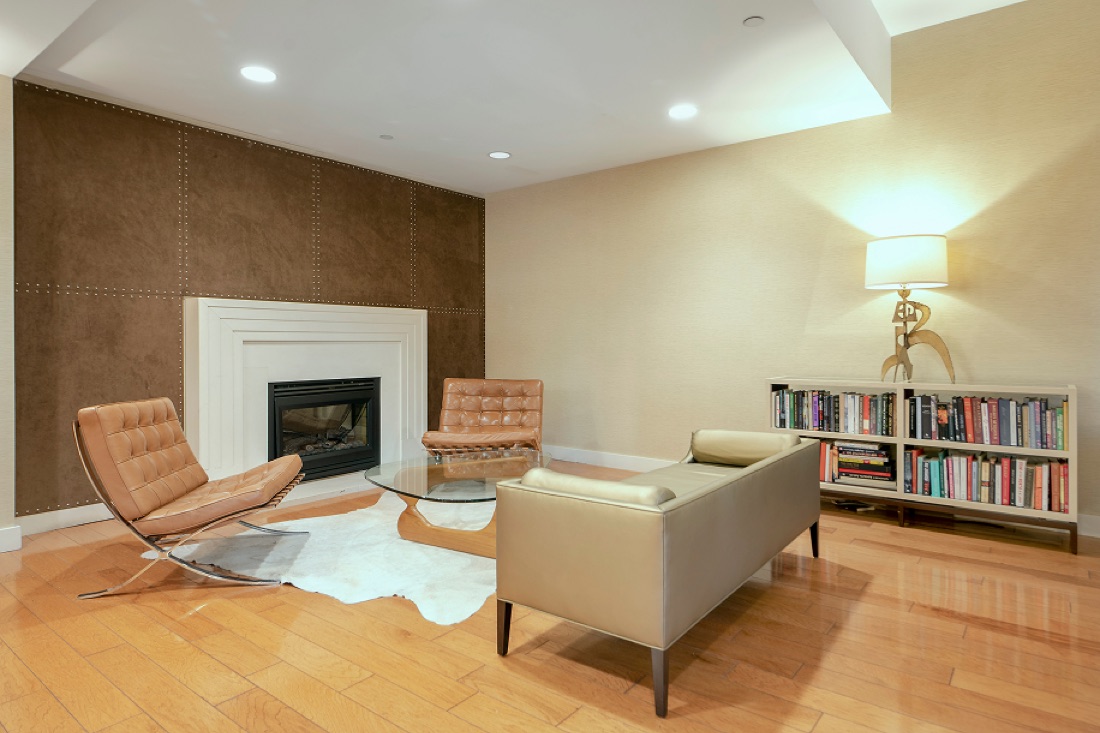
The smartest move in a smaller apartment is to stop trying to fit everything into it. A resident lounge with a fireplace and library makes a calm spot for focused work or a laptop afternoon away from your bed. A conference room is the one most people forget: it is the difference between taking a client call from your couch and taking it from an actual table with a door. At The Anthem, residents can use the lounge and conference room as overflow space, book the conference room when you need to look professional on camera, and drift to the lounge or roof terrace when you just need a change of scenery. Check with the front desk at (212) 684-3222 on how reservations work.
Carving a WFH Nook in a Studio
If your home base is a studio, the goal is a corner that signals "work" so the rest of the apartment can stay "home." Face a desk toward a wall or window rather than the bed, so your camera background stays clean and your brain stops associating the whole room with deadlines. A bookshelf, a rug, or a folding screen can divide the space without construction. If you are relocating and would rather not buy a desk and chair you will move again in a year, a service like CORT rents furniture you can return, which helps when you are outfitting a temporary setup fast.
The Bandwidth You Actually Need
Video calls live and die on upload speed, not just download. A single HD call needs only a few megabits up, but the moment a second person is on a call, someone is streaming, and a backup is syncing, a thin connection starts dropping you mid-sentence. Fiber matters here because it gives you symmetrical speed, fast up and down, so your camera stays sharp under load. The Anthem offers in-building fiber through Honest Networks, with gigabit service and the code ANTHEM26H for two months free at honest.net/signup/anthem. Verizon Fios is an alternative if you would rather compare. Either way, hardwire your laptop with an Ethernet cable for the calls that count.
Quiet Cafes for a Change of Scenery
Some days you need to leave the apartment entirely. Murray Hill's side streets off the avenues hold small, calm cafes that fill up slower than the Midtown chains a few blocks north, the kind of place where you can nurse a coffee through a long document without a line forming behind you. Aim for mid-morning or mid-afternoon, bring headphones, and tip well if you are parking for a while. The neighborhood is walkable enough that a reset is never more than a few minutes away, and remote renters sizing up the building from afar can preview the layouts through The Anthem's 117 individual unit video tours.
If a building that works as hard as you do sounds right, come see the conference room and lounge in person. Browse available residences or schedule a tour, and ask about Honest Networks gigabit with code ANTHEM26H. Our leasing team is at (212) 684-3222.
Shop the edit · Amazon
Mid-ticket picks sized for NYC rentals. As an Amazon Associate, we earn from qualifying purchases.
- Cordless Vacuum — Quick cleanup between calls (paid link)
Interested in Living at The Anthem?
Browse available studios, 1-, 2-, and 3-bedroom residences at 222 East 34th Street, Murray Hill — with video tours and 3D walkthroughs for every unit.
View Available Apartments Schedule a Tour